

The full answer
It needs two yeses inside one 7 day window from the request: the current keyholder's first, then yours. If either of you says nothing, the change closes and nothing moves: the current keyholder keeps the key. Once you accept, the key moves 7 days later, and until then the current keyholder still holds it. Ending protection is frozen for the whole handover, so changing keyholder is never a shortcut out.
A handover has two consents and two clocks
Changing keyholder is a server handoff, not a swap either person can make alone. It needs the user who asked for it, the keyholder who currently holds the key, and you. In Fold’em 3.0 nobody can start one any more: a person who wants a different keyholder removes theirs and invites someone new. A handover begun in an earlier version still runs to its end, and this page is for that case.
Two clocks run, 7 days each. The first starts at the request, and both yeses must land inside it: the current keyholder's, then yours. The second starts when you accept, and the key moves when it ends. Until then the current keyholder still holds the key.
Ending protection is frozen for the whole handover: a request cannot be opened while one runs, and their app says so if they try. Nothing else changes on their account. A handover moves who answers, and it moves nothing about the waits or the blocks.
What you are being asked, exactly
You are asked only after the current keyholder has said yes. If you already use Fold’em as their supporter, a notification tells you they asked you to hold their key. The handover also sends you a link by email, and the link is where your answer is given.
What you can see about them changes at the same instant everyone else's does, which is when the key actually moves. When it does, the key is yours: they are in your People tab under You support, and the foot of that group says you hold their key.
What the outgoing keyholder sees
If you are the one being asked to hand the key on, it is the same decision from the other side, and it reaches you in the app: their row on People reads Asked you to hand over the key, in red, and the page behind it, titled with their name, says who they want to hold their key. Its steps run from their ask, through your decision, within 7 days or it closes, to the successor accepting and the key moving. Say no is the filled button and Say yes the quiet one, and both ask for Face ID. While it is open, you cannot step away.
Saying no ends the change with you still holding the key; they are told. Doing nothing has the same outcome, since the change closes when its seven days run out.
Once you have said yes, the page reads Waiting for and the successor's name. You still hold the key until 7 days after the successor accepts, and then your part is finished.
Answering a change request
-
Open the link they sent you
However you heard about it, the answer is given through the link in the handover's email, which names whose key it is. Until the key has moved, you see no more about them than you already did.
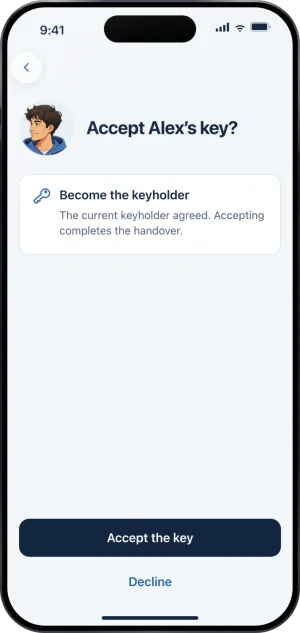
The ask, in the app
-
Know what accepting starts
Accepting does not move the key at once. It starts the second 7 day clock, and the current keyholder holds the key until it ends. Nothing about their protection moves with the key.
-
Accept, or decline
Declining ends the change with the current keyholder still in place, and so does letting the first 7 days run out.
What this does not do
Taking over does not give you anything the previous keyholder did not have. You approve or decline a request to end protection, you answer a request to end a Lockdown sooner, and nothing else. You cannot end their protection, shorten a wait, change their protection, or see anything beyond the short list every keyholder is shown.
A handover also does not shorten anything for the person you are taking over from. Ending protection is frozen while it runs, and once it lands the waits are the same ones that applied before it, because a change of keyholder changes who answers and nothing else.
If a handover is cancelled, ends when protection ends, or closes because one of its windows ran out, the keyholder and a supporter who was offered the key are each emailed, if they had been asked, that it ended and that nothing changed. A new person invited to take over is not emailed.
Write to us and a person reads it. We answer within two working days, and we would rather hear the question twice than not at all.