

The full answer
Only Protection on shows their day count beside it, if they share it. Protection on and Protection ended ask nothing of you, and Not confirmed yet is most often a phone that has been quiet. Protection at risk and Protection off are worth a message. When they ask for support, or send you a request, the row says that instead, in red, and moves to the top of You support.
One word, and the row is built from it
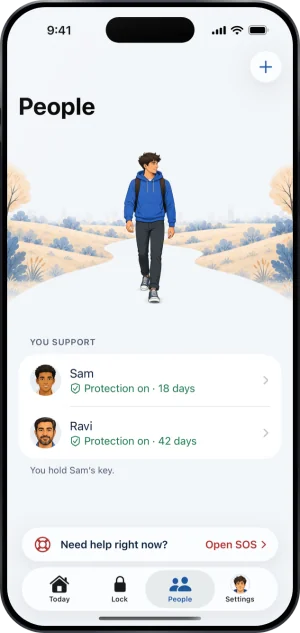
Everyone you support is one row under You support on People: their face, their name, and one line. The line is a single word for their protection, with its own mark and colour: green for Protection on, red for Protection at risk and Protection off, and plain for the other two. When protection is on and they share their run, their day count follows the word.
Tap the row for their page. Under How they are doing it gives the same word beside Protection, and their run beside Gambling free, or Not shared. Their page is also where you act, with Message, Call and Encourage.
When something needs you, the line says that instead of the protection word, in red, and the row moves to the top of the group. If what you are reading is more than six hours old, or you are offline, a line under the row says Up to date as of and the time.
The five words
-
Protection on
Their phone has confirmed that protection is running. Nothing is needed from you. If they share their run, their day count follows the word; if they do not, the word stands alone.
Protection on
-
Not confirmed yet
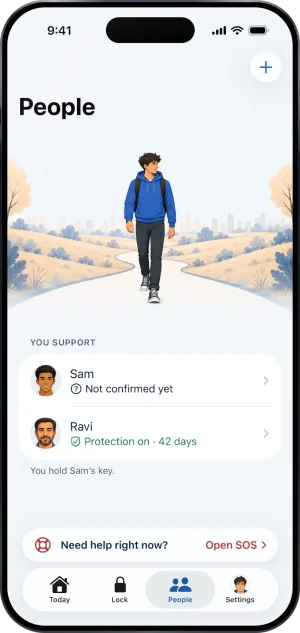
Fold’em cannot say right now that protection is running. Their phone may be checking in, or it has not confirmed for a while: a dead battery, airplane mode or a phone left in a drawer all look like this. If it stays this way, a message is worth more than an alarm. A phone that stays quiet long enough also sends you a notification that it has gone quiet.
Not confirmed yet
-
Protection at risk
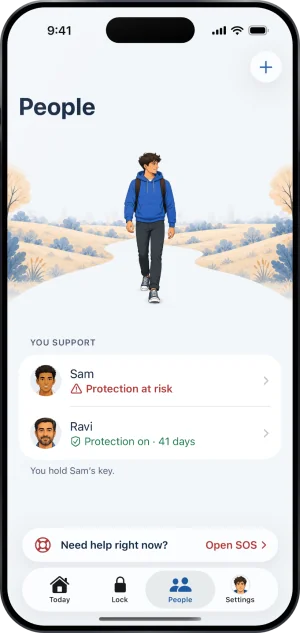
Their subscription ended, and their protection is set to end unless it is restored. Checking in is the act that helps, and the Remind tile on their page sends them a reminder. You are also told in a notification that it is ending, unless you turned Protection ending off.
Protection at risk
-
Protection off
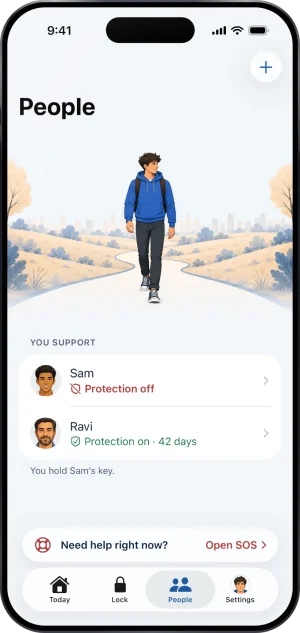
The one that matters most. Their phone reported that protection is not running, which is what turning Screen Time off does. This is not a phone that has gone quiet; it is a phone saying the blocks are down, and you get a notification about it whatever your switches say. Check in with them, kindly.
Protection off
-
Protection ended
Protection is over. Nothing is asked of you, nothing is blocked on their phone, and their page offers no nudge. Their row stays under You support until one of you ends the connection, so the end of protection is not the end of standing with them. Their gambling free count is a different thing and carries on, on their page, because ending protection does not touch it.
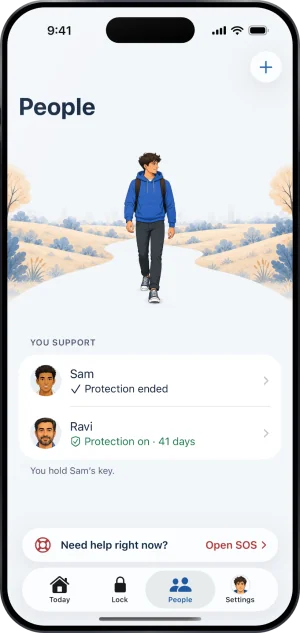
Protection ended
The other lines a row can carry
The five words are about their protection. The same line says something else when something is happening, in a fixed order. An ask for support comes first: Asked for support, in red, with when they asked, for 24 hours, or until word that they made it through takes its place, and their page then leads with Call. If you hold their key, a request to end protection reads Asked you to end protection, a request to end a Lockdown sooner reads Asked you to end Lockdown, and a handover begun in an earlier version reads Asked you to hand over the key, each in red until you answer. While a request to end protection is in its wait, the line reads Can end it and the moment the wait ends; a supporter without the key sees that and never the ask.
What this does not do
A status word reports the state of protection on one iPhone. None of the five tells you whether the person gambled, because a second phone, a desktop, a betting shop and cash are all outside what an app on that phone can see. Fold’em never tells you about a bet either: the run you see, when they share it, counts from the day their protection started, so it does not start again when they reset their own counter, and anything more is theirs to tell you.
The words are the whole vocabulary. The server keeps its own names for what the phone reports, and none of them is ever a word you are shown.
Write to us and a person reads it. We answer within two working days, and we would rather hear the question twice than not at all.