

The full answer
On the phone itself, Screen Time permission belongs to you and can be withdrawn in iOS Settings, and no app on iOS can stop that. What Fold’em is built to do about all of it is make it visible: switching the block off shows on Lock and Today the next time Fold’em runs, and the people in your circle see Protection off on your card. That is the design, and it is deterrence rather than an operating system lock.
The four edges
Every on device blocker has the same boundary, and it is worth naming exactly rather than in general.
-
A second device
The app block, the Games category and site blocking are all properties of this iPhone. Another phone, an iPad or a borrowed device carries none of them.
-
A computer
Nothing Fold’em installs reaches a laptop or a desktop, on the same network or anywhere else.
-
A shop, and cash
Fold’em blocks apps and addresses. It never sees your bank, holds no money and stands between you and nothing you can walk into.
-
The permission itself
Screen Time authorization is granted by you and can be withdrawn by you in iOS Settings. No app can prevent that, and any app that claims otherwise is claiming a power iOS does not give it.
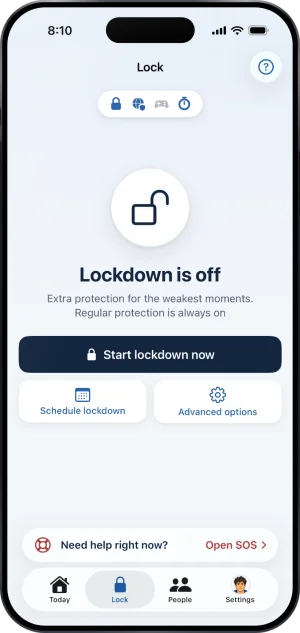
The pill shows which layer is holding
What Fold’em does instead
The design answer to those edges is not a stronger lock, because there is not one to build. It is that none of it is quiet.
Withdrawing Screen Time shows on Lock and Today the next time you open Fold’em, where the Apps tile turns red and its page says Screen Time is off, and the people in your circle see Protection off on your card. Your gambling free count carries on, because it counts days since your last bet, not days the block held. Removing the site blocking profile is not silent either: the Sites tile turns red and its page says Site blocking is off, so gambling sites are open, on Lock, and Today shows Sites need attention. And if the phone goes quiet for long enough, their card reads Not confirmed yet rather than staying on Protection on. With nobody in your circle, nobody is told, and Lock and Today are what tell you.
Ending your protection is a request, and it takes days on either road. If someone holds your key, they decide, and a yes starts a 48 hour wait; without a keyholder the wait is 7 days. There is no code, no passcode and no support path that shortens either. Deleting the app has to wait too while the deletion delay is on. What no app can prevent is switching Screen Time off in iOS Settings, which stops the block holding; that is why the rest of this page is about making it visible rather than impossible.
Layers, not one wall
One block on its own can be got around. Layers hold. Fold’em is one of them, the one on the phone, and the others do not live in an app: speaking with a support organisation in your country, a gambling block at your bank, and self excluding directly with the operators you use or through a national scheme. Fold’em can do none of those for you, and it is honest that it cannot.
The reason this page comes before the others is the argument of when quitting gambling did not stick, which begins from the same limit.
What this does not do
Fold’em does not sell a way out. A paid emergency unlock is a button that ends the block for a fee, and Fold’em has none at any price. Protection ends through a request to end protection, with its wait, or when the subscription ends and the server releases it at least 72 hours later. It does not monitor you: it reads whether its own layers are still applied, and it never reads your browsing history or the contents of an app. And it will not tell you it is working when it cannot see: when a layer's state cannot be read, it reads Could not check rather than On.
Write to us and a person reads it. We answer within two working days, and we would rather hear the question twice than not at all.