

Which organisation you are shown, and how it is chosen
The directory ships inside the app: 24 countries and an international fallback, 41 organisations in all. Fold’em reads your phone's region setting once per launch and matches it against that list. There is no permission prompt, no location, no network call and no country picker, and a region you change today applies at the next launch rather than swapping the organisation named on a screen while you are looking at it.
A country can list more than one organisation, so one is chosen as the one to talk to, in a fixed order: a helpline first, then a support network, then a self exclusion register. If your region is not in the list at all you get the international fallback, which is a website rather than a phone line, and the app says so instead of showing a number that would not connect.
The sheet itself is one component with the same shape everywhere it opens: the organisation's name, its own description of what it does, Call on the number when there is one, and Visit on its site. Where the resolved organisation has no phone number the Call row does not exist at all, and the site takes the primary place. There is no text or SMS action on the sheet, in any country, because the directory records one phone number per organisation and no promise that it accepts messages.
Where to find it
-
From SOS
Open Talk to someone, then Gambling support. The row reads Helpline when your country's organisation has a number to call, and Support when it has only a site. The sheet is the same one everywhere it opens.
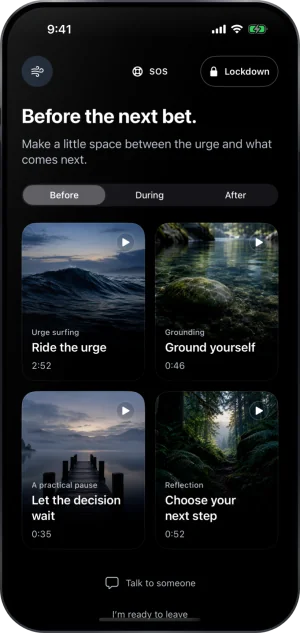
The SOS screen
-
From Settings, or after a setback
Settings, then Help, then Ways to block gambling lists the organisation for your country as one of the layers, as Speak with and its name. The You gambled sheet, opened from I gambled on Your goal, carries Talk to someone, which opens the same page.
-
As one layer among others
Fold’em is one layer. The others are yours to stack: the organisation for your country, a gambling block from your bank, and each operator's own self exclusion scheme.
What this does not do
Fold’em does not call for you, does not pass your number to anyone, and does not tell an organisation that you opened its sheet. It is not a treatment service and holds no clinical relationship with any of the 41 organisations it lists; each one is independent and free to reach. The directory is fixed in the app you have installed, so a number that changes is corrected in a release and not from a server. And a helpline is a different thing from a block: talking to somebody does not extend, shorten or end your protection.
Write to us and a person reads it. We answer within two working days, and we would rather hear the question twice than not at all.
If you need someone now
Free, and not run by Fold’em.
- Call 1 800 697 3738National Problem Gambling Helpline, US. Call, text or chat.
- Call 1 866 531 2600ConnexOntario, Canada. For people in Ontario.Website for ConnexOntario
- Call 0800 1 37 27 00BZgA Check dein Spiel, GermanyWebsite for BZgA Check dein Spiel
- Call 1800 858 858Gambling Help Online, AustraliaWebsite for Gambling Help Online
- Call 0808 8020 133National Gambling Helpline, UKWebsite for the National Gambling Helpline
- Other countries
Gam-Anon is a community for people supporting someone who gambles.